




Overview
Just Add Power’s Advanced Matrix Programmer (AMP) enforces a standardized IP addressing scheme for all Devices to ensure consistent deployment, reliable communication, and simplified system support.
By default, AMP uses the IP subnet 172.27.0.0/16 (255.255.0.0) for the Device Network. This prefix is automatically assigned and managed as part of the AMP configuration process.
The Device Network IP prefix can be changed if required; however, AMP restricts available options to the approved subnet range of 172.20.0.0/16 through 172.29.0.0/16. All supported subnets use a /16 (255.255.0.0) mask, and selection outside of this range is not possible within the software.
Changing the default prefix is only recommended in the following scenarios:
- Conflict with an existing
172.27.0.0/16 (255.255.0.0)subnet - Managing multiple Just Add Power systems from the same control LAN
This article identifies where to configure the Device Network IP prefix in AMP.
Instructions
Warning: This setting is not persistent. Closing and re-opening Advanced Matrix Programmer resets the Device Network to the default subnet 172.27.0.0/16 (255.255.0.0).
-
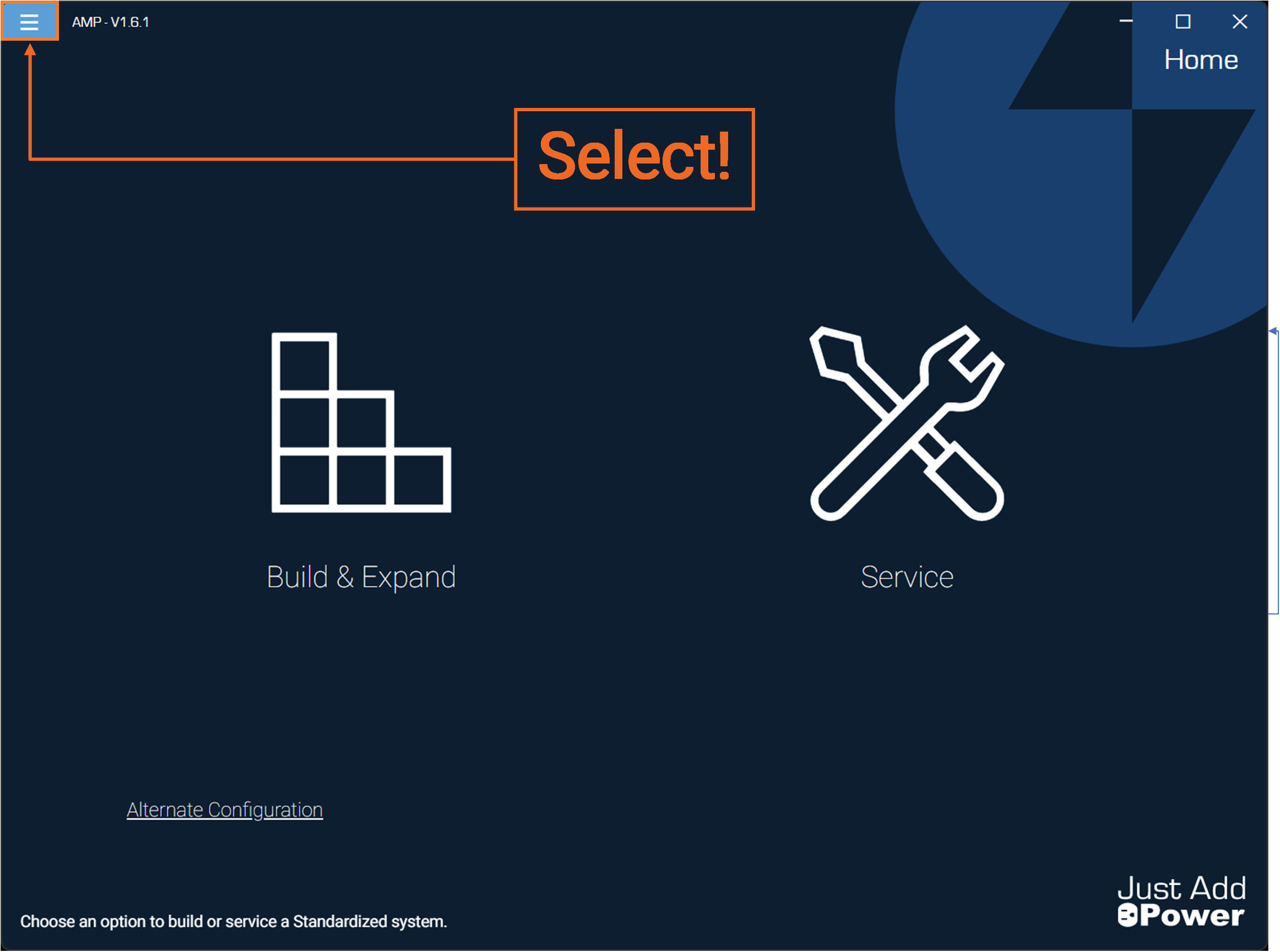
Open Advanced Matrix Programmer and select the "hamburger menu" button in the top-left corner.
-
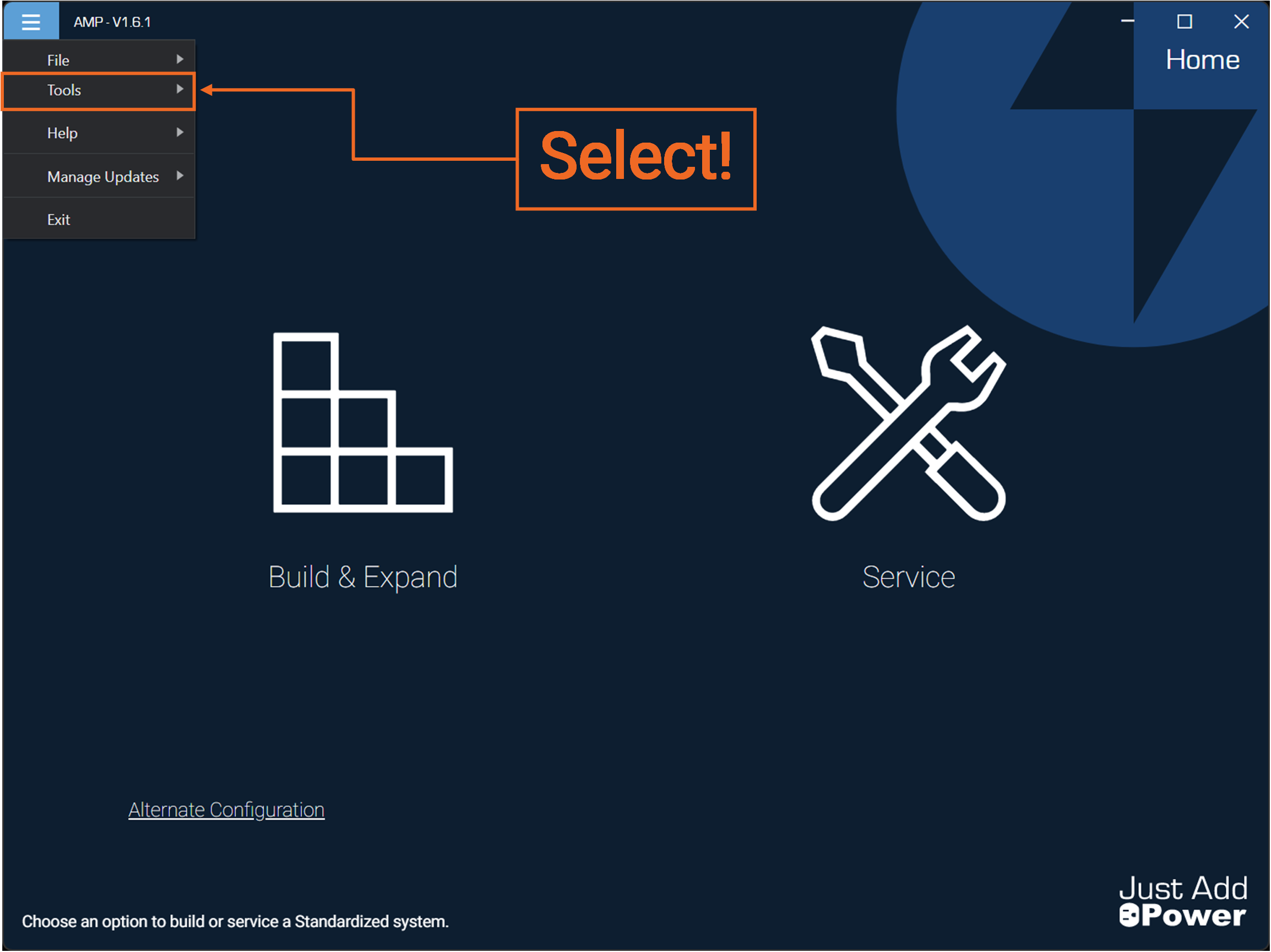
Select "Tools".
-
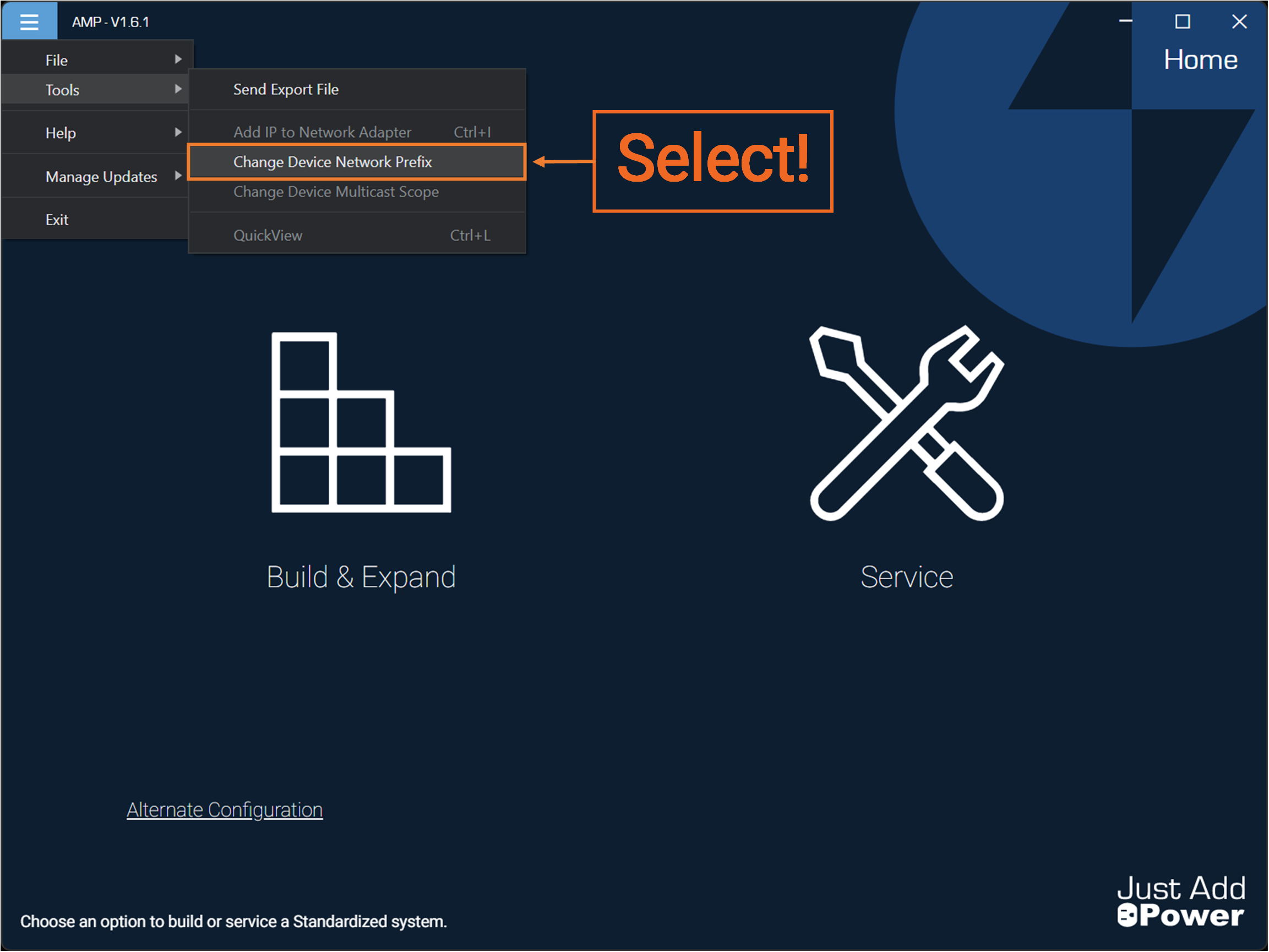
Select "Change Device Network Prefix".
-
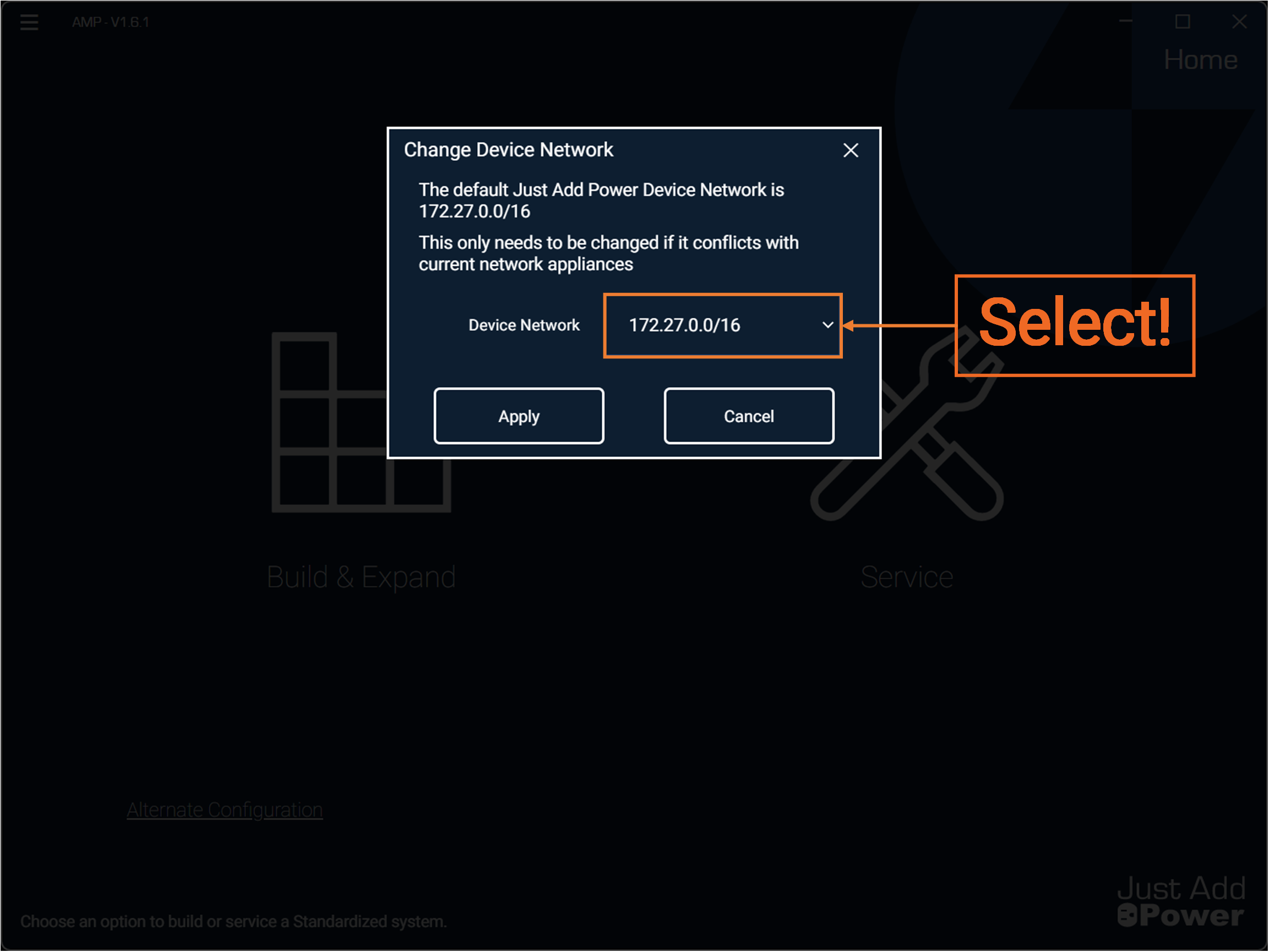
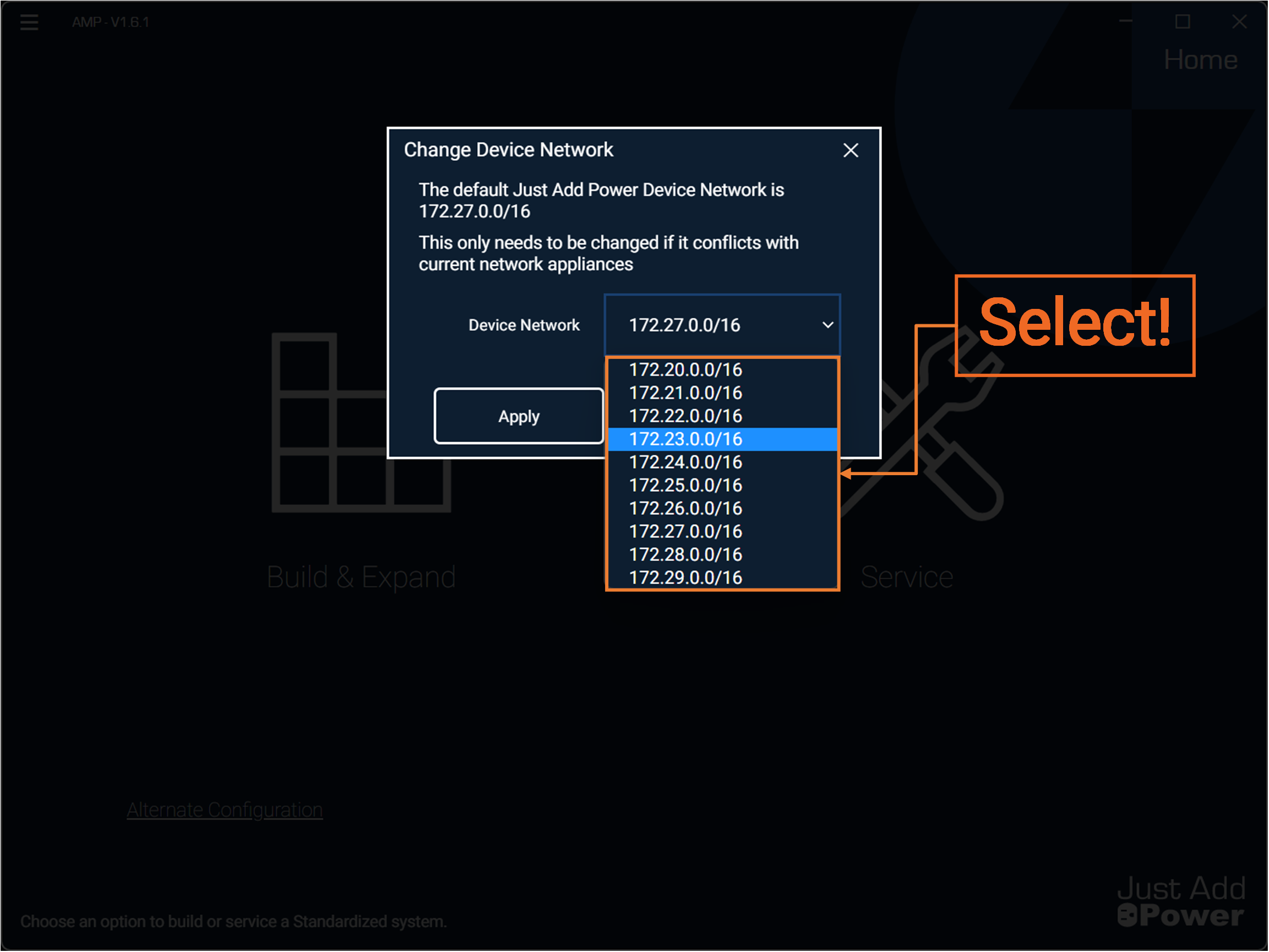
Select the "Device Network" dropdown.
-
Select from any of the available IP subnets.
-
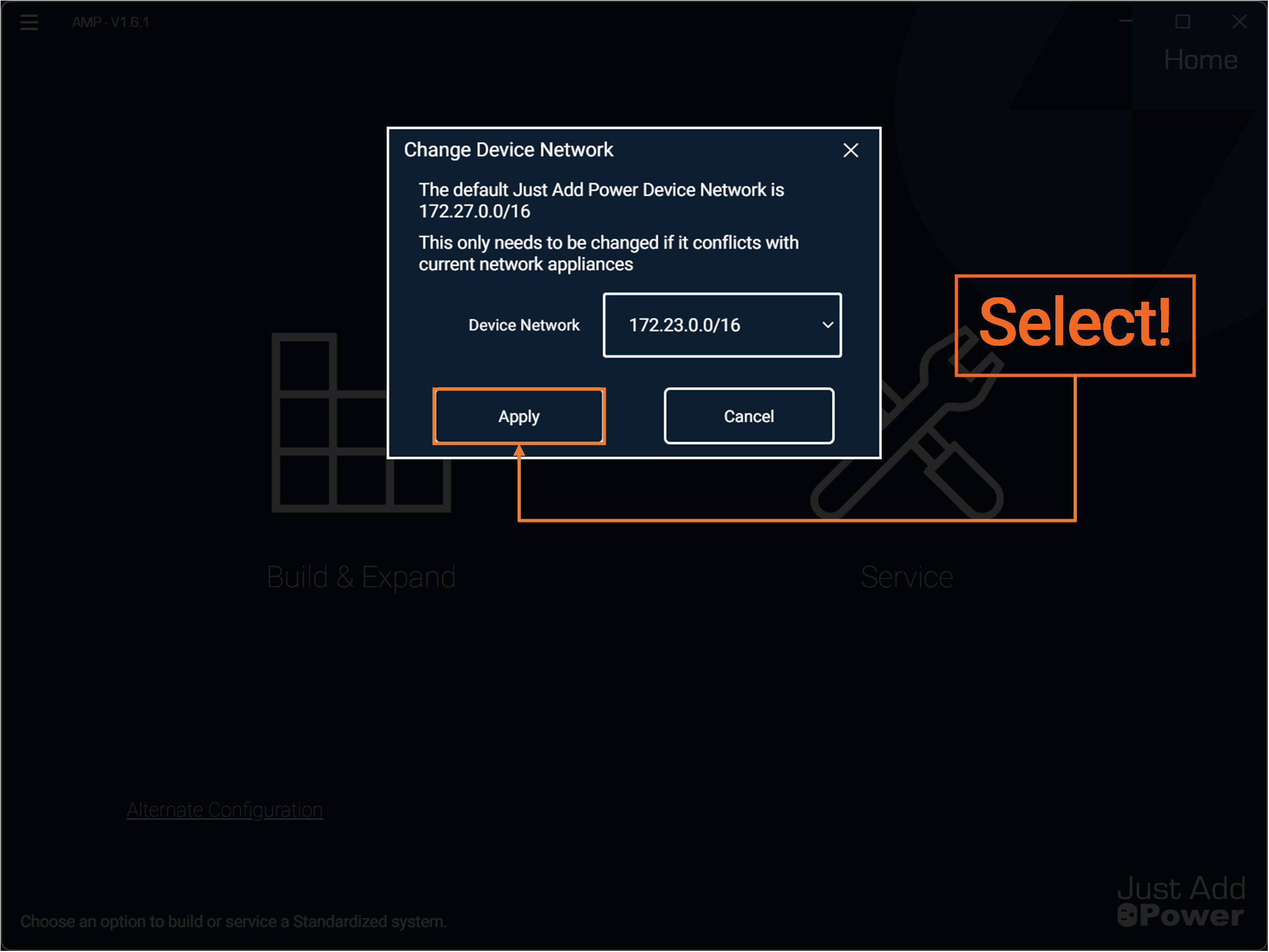
Select "Apply".
-
Done.
Advanced Matrix Programmer will apply the selected subnet to all Just Add Power Devices when configuring a system using "Build New".

